
Explore how AI scheduling software streamlines calendars, automates scheduling, and helps small teams save time and improve productivity.

Keeping a small team organized isn’t easy. As businesses grow, meetings multiply, calendars become crowded, and scheduling conflicts become more common.
AI scheduling software simplifies this process by:
- Automating meeting coordination
- Reducing calendar conflicts
- Helping teams spend less time managing schedules and more time getting work done
In this blog, you will learn how AI scheduling tools can take the stress off you and save precious hours of your workday.
Why Scheduling Is Hard for Small Teams
Small teams may have a few resources, but this doesn’t stop them from juggling several responsibilities. Their small size doesn’t permit them to have dedicated admin staff to manage calendars, coordinate meetings, or resolve scheduling issues, leading to a variety of challenges.
These are the key challenges that small teams face related to scheduling meetings which make using AI scheduling software the answer to them:
Limited Administrative Support
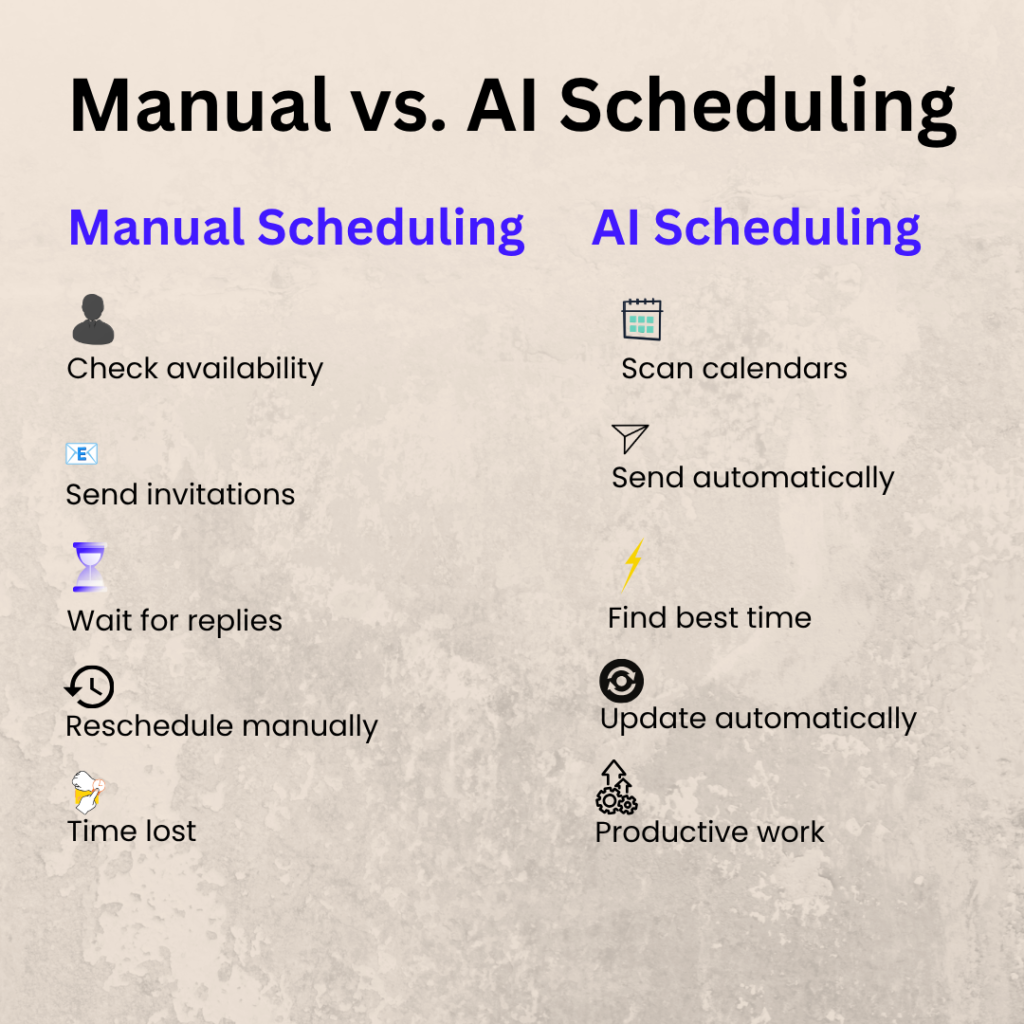
In small businesses, employees often manage schedules and meetings alongside their regular responsibilities because there are no dedicated administrative staff. They have to check colleagues’ availability, schedule meetings, send invitations, and follow up on responses.
Although these tasks seem minor, they can consume valuable work hours. Time spent coordinating calendars, rescheduling meetings, and chasing replies reduces productivity and leaves less time for high-value work.
Example: A design agency of 5 people is preparing for a client presentation. To schedule a review meeting, the project manager has to:
- Check everyone’s availability.
- Send calendar invitations.
- Follow up with two team members who haven’t responded.
- Reschedule the meeting when a designer becomes unavailable.
What should take a few minutes takes close to half an hour – time that could have been spent on polishing the presentation or communicating with the client.
Multiple Calendars and Tools
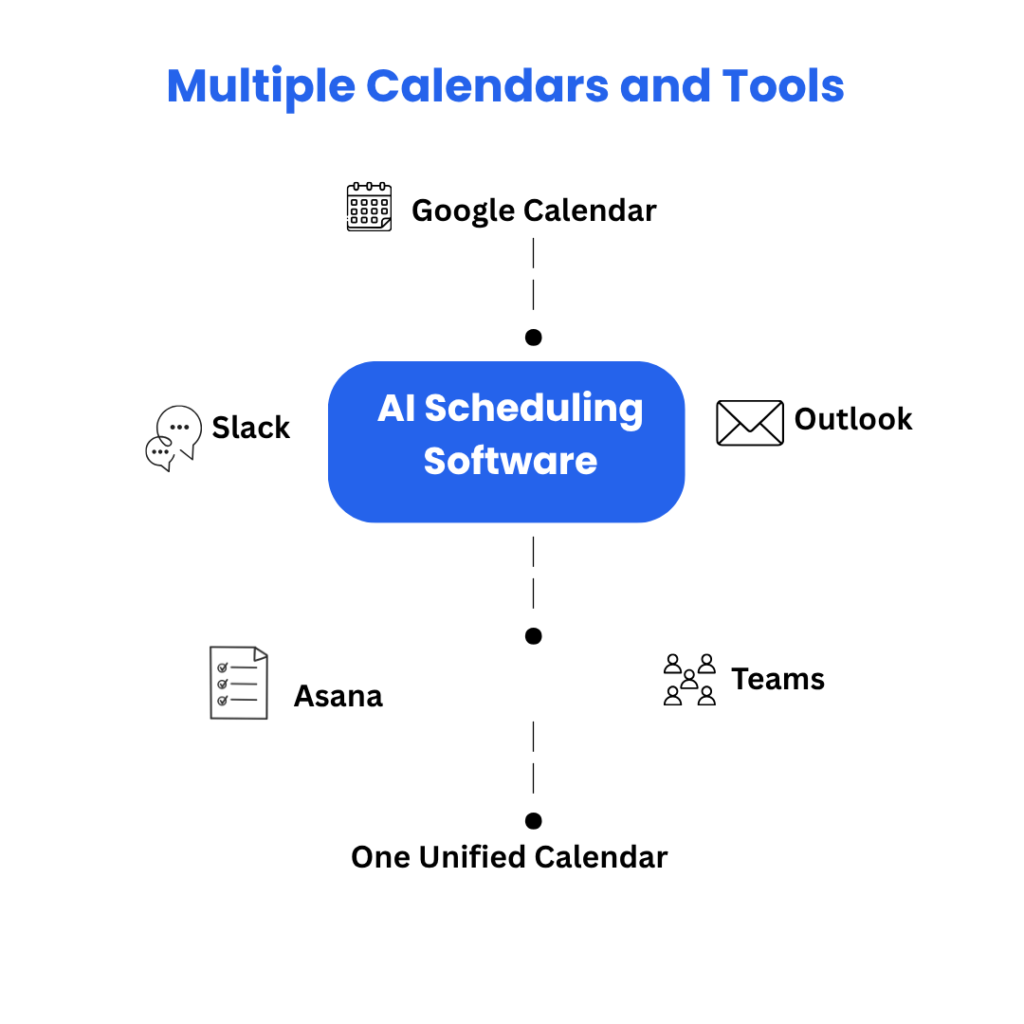
Small teams often use different apps for calendars, communication, and project management. When teams manage their schedules across multiple tools, important updates can slip through the cracks, making calendar conflicts and double bookings more likely.
Example: Imagine a five-member marketing team. Sarah blocks Tuesday morning in Google Calendar for focused work. Unaware of this, her manager schedules a client meeting through Outlook. Meanwhile, a teammate posts an urgent project review in Asana and shares it on Slack, but Sarah misses the notification. She now has a scheduling conflict, a missed update, and a meeting that needs to be rescheduled.
An AI meeting scheduler brings these tools together by syncing calendars, checking availability, flagging conflicts, and updating schedules automatically.
Constantly Changing Priorities
Small teams often deal with shifting priorities throughout the day. New client requests, urgent deadlines, and unexpected meetings often require teams to rearrange their schedules at short notice.
As priorities change, employees must manually update calendars, inform colleagues, and reschedule meetings, increasing the risk of errors and missed appointments.
Example: A software team plans a product review for the afternoon. Just before the meeting, a client reports a high-priority issue that needs immediate action. The review is postponed, everyone has to be notified, and new meeting times must be coordinated—adding more administrative work and delaying other tasks.
Remote and Hybrid Work
Many small teams now work remotely or follow hybrid schedules. Different working hours, flexible schedules, and time zones make it difficult to find meeting times that suit everyone.
Coordinating across locations often requires multiple messages, calendar checks, and last-minute adjustments, which can delay important discussions and reduce overall efficiency.
Example: A small digital marketing agency has team members working from home on different schedules. The account manager wants to hold a campaign review, but one designer has logged off for the day, while the content writer starts work later in the morning. Finding a time that fits everyone’s schedule takes longer than expected, postponing the campaign review and delaying the next phase of the project.
These challenges are common, but they don’t have to be part of everyday work. A-powered scheduling software reduces much of the manual effort involved in coordinating calendars, helping small teams spend less time organizing meetings and more time focusing on meaningful work.
So what is AI Scheduling Software?
AI scheduling software is a productivity tool that uses artificial intelligence to automate meeting scheduling and AI calendar management.
It identifies suitable meeting times, checks participants’ availability, and coordinates schedules automatically, helping teams spend less time managing calendars and more time getting work done.
It can also:
- Check participants’ availability across connected calendars.
- Detect scheduling conflicts.
- Automatically reschedule meetings.
- Learn user preferences, such as preferred meeting times and focus hours.
AI scheduling software handles these repetitive tasks, reducing manual effort, minimizing errors, and helping teams stay organized.
Many businesses also use an AI calendar assistant to automate meeting coordination and calendar management. Some popular AI scheduling tools include Motion, Reclaim AI, Clockwise, Scheduler AI and Akiflow.
Popular AI Scheduling Tools
Motion
Reclaim AI
Clockwise
Akiflow
Though they all have different features, they have the same goal: to simplify scheduling, reduce the administrative burden and help teams make the most of their time. In short, smart scheduling software helps teams spend less time managing calendars and more time getting work done.
How AI Scheduling Software Keeps Small Teams Organized
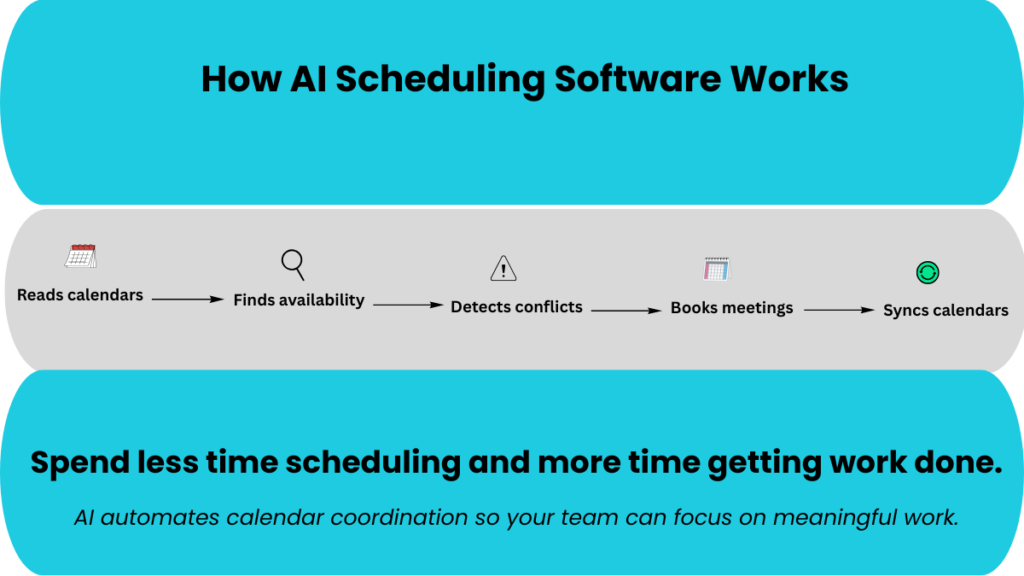
Instead of relying on manual scheduling, AI scheduling software uses automation to coordinate meetings and manage calendars. This helps teams save time, reduce errors, and improve collaboration.
Here are some of the key ways it helps small teams stay organized.
Automatically Finds the Best Meeting Times
Scheduling a meeting that suits everyone often involves checking multiple calendars, exchanging emails, and making repeated adjustments. AI scheduling software automates this process by finding suitable time slots without the usual back-and-forth communication.
It scans participants’ calendars, identifies shared availability, and recommends the best meeting times within seconds. As a result, teams spend less time coordinating schedules and more time focusing on productive work.
Example: A five-member product team needs to meet before a client presentation. Instead of exchanging multiple emails to find a suitable time, the AI scheduler scans everyone’s calendars, identifies a 30-minute slot that fits all schedules, and automatically sends the meeting invitation.
A 2025 Zoho Bookings survey found that 40% of organizations spend more than an hour scheduling appointments by email. AI scheduling software reduces this effort by finding mutually available time slots in seconds.
Source: Zoho Bookings – Appointment Scheduling Survey 2026: AI, Automation & Business Impact
Prevents Scheduling Conflicts
Scheduling conflicts are common when multiple people update their calendars independently. Overlapping meetings, double bookings, and outdated calendar entries can disrupt workflows and waste valuable time.
AI scheduling software detects overlapping appointments before meetings are confirmed. It checks participants’ availability in real time, prevents double bookings, and automatically updates connected calendars to keep schedules accurate.
Example: A sales manager schedules a client call at the same time a team lead has already planned a project review. Instead of allowing the overlap, the AI scheduler flags the conflict and suggests an alternative time that works for everyone.
Prioritizes Important Work
Frequent meetings can interrupt deep work and make it difficult for employees to concentrate on high-priority tasks. When meetings are scheduled without considering focus time, productivity suffers and important work takes longer to complete.
AI scheduling software protects focus hours by blocking uninterrupted work time and scheduling meetings around it. This helps employees complete demanding tasks with fewer interruptions while ensuring meetings are held at suitable times.
Example: A content writer blocks two hours each morning to work on a client proposal. Instead of scheduling meetings during this period, the AI scheduler automatically finds an available slot later in the day, allowing the writer to complete the proposal without interruptions.
Handles Rescheduling Automatically
Meeting plans often change because of urgent priorities, cancellations, or unexpected conflicts. Manually updating calendars, sending revised invitations, and informing participants can be time-consuming and increase the risk of missed updates.
AI scheduling software automatically updates calendars, reschedules meetings, and sends revised invitations whenever plans change. As a result, teams spend less time managing schedule changes while everyone stays informed.
Example: A client cancels a project review at short notice. Instead of updating each participant individually, the AI scheduler finds a new time, updates everyone’s calendars, and sends revised meeting invitations automatically.
Coordinates Remote Teams
Remote and hybrid teams often work across different time zones and flexible schedules, making it difficult to find meeting times that suit everyone. Manually comparing working hours and availability can slow down collaboration and delay decisions.
AI scheduling software automatically considers time zones, working hours, and shared availability to recommend suitable meeting times. Teams can schedule meetings with less back-and-forth while respecting everyone’s availability.
Example: A project manager in India needs to schedule a meeting with teammates in the UK and the US. The AI scheduler finds a time that falls within everyone’s working hours and sends invitations without requiring multiple emails or manual time-zone calculations.
Reduces Administrative Workload
Managing calendars, sending reminders, and coordinating meeting schedules can consume valuable time, especially for small teams without administrative support. The more time employees spend on these routine tasks, the less time they have for client work, planning, and other high-value activities.
AI scheduling software automates routine scheduling activities, including calendar updates, reminder emails, and meeting coordination. By reducing manual effort, it allows employees to focus on their core responsibilities instead of administrative tasks.
Example: A small consulting firm schedules several client meetings each week. Instead of manually sending reminders and updating calendars, the AI scheduler handles these tasks automatically, allowing the team to spend more time serving clients and less time managing schedules.
Benefits for Small Teams
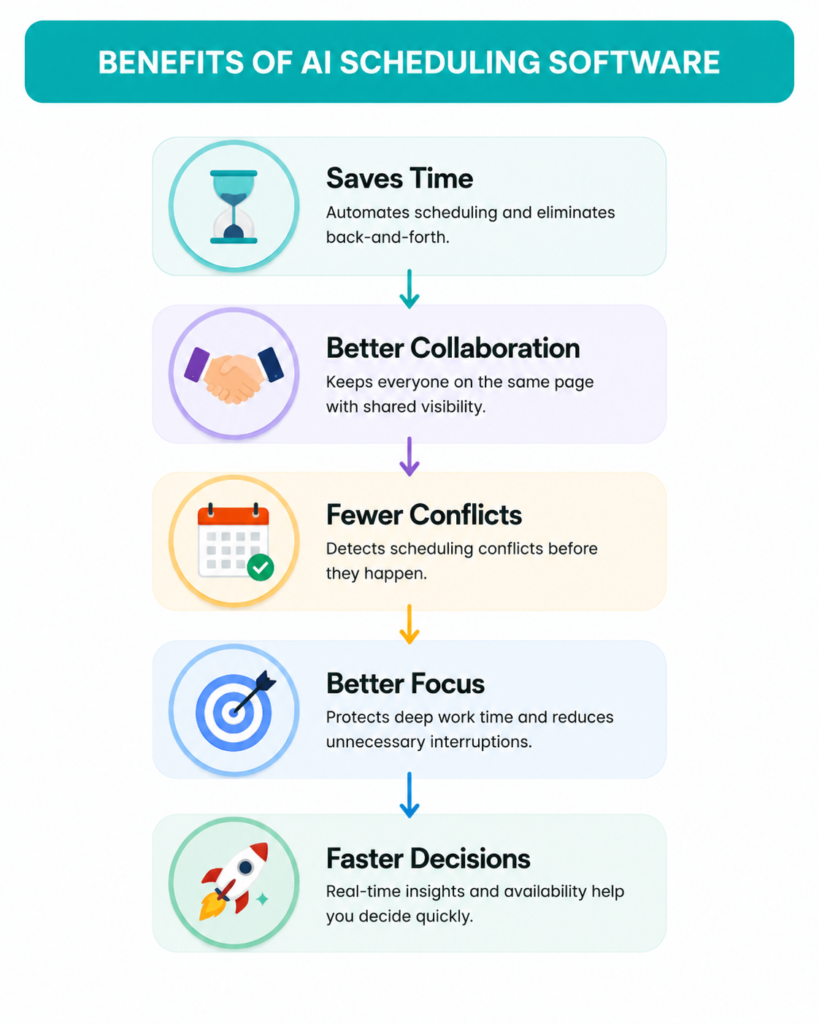
AI scheduling software simplifies calendar management with scheduling automation tools. Instead of spending valuable time coordinating meetings, small teams can focus on delivering projects and serving customers. As a result, teams work more productively, collaborate more effectively, and stay better organized.
Features to Look for in AI Scheduling Software
Not all AI scheduling software offers the same capabilities. The best team scheduling software should simplify collaboration while reducing manual scheduling.
When comparing solutions, look for features that match your team’s workflow, improve collaboration, and reduce the time spent on manual scheduling.
Calendar Synchronization
Brings together multiple calendars, such as Google Calendar and Outlook, into a single view. This keeps schedules up to date and reduces the risk of conflicting appointments.
Automatic Scheduling
Automatically finds suitable time slots based on participants’ availability. This eliminates the need for back-and-forth emails and manual calendar checks.
Smart Rescheduling
Adjusts meetings when plans change by suggesting new time slots and updating calendars automatically. This minimizes disruption and saves time.
Time Zone Detection
Recognizes participants’ time zones and schedules meetings at suitable times for everyone. This is especially useful for remote and distributed teams.
Availability Management
Monitors working hours, calendar availability, and existing commitments to avoid overlapping schedules. Meetings are scheduled only when participants are available.
Meeting Reminders
Sends automatic reminders ahead of scheduled meetings to cut down on no-shows and late arrivals. Keeps team members in the loop without any manual follow-up needed.
Focus Time Protection
Blocks off dedicated periods for deep work and steers meetings away from those hours. Helps employees focus on high-priority tasks with fewer interruptions.
Team Scheduling
Finds shared availability across participants to instantly coordinate meeting times. Eliminates the endless back-and-forth of scheduling for team discussions, client calls, and project reviews.
Task Integration
Connects with task and project management tools to align meetings with project deadlines and priorities. This keeps work and schedules organized in one workflow.
Analytics and Reporting
Provides insights into meeting frequency, scheduling patterns, and calendar usage. These reports help managers identify inefficiencies and improve team productivity.
While every business has different needs, these features can significantly reduce administrative work and make coordination of meetings more efficient.
Tips for Getting the Most from AI Scheduling Software
AI scheduling software works best when it’s configured to match your team’s workflow. A few simple setup steps can improve scheduling accuracy, reduce conflicts, and help your team make the most of its features.
- Sync all work calendars: Connect them seamlessly to prevent overlapping commitments.
- Set working hours accurately: Define your working hours so meetings are scheduled only when you’re available.
- Block focus time: Reserve uninterrupted time for deep work and prevent unnecessary meeting interruptions.
- Define meeting priorities: Set priorities so important meetings take precedence over less critical ones.
- Connect project management tools: Integrate your scheduling software with task management platforms to keep meetings aligned with project deadlines.
- Review scheduling preferences regularly: Update your availability and preferences as your workload or schedule changes.
Is AI Scheduling Software Worth It for Small Teams?
For most small teams, the answer is yes—especially if scheduling meetings, managing calendars, and coordinating projects have become daily challenges. As your team grows, manually organizing meetings, avoiding scheduling conflicts, and finding suitable meeting times can quickly become time-consuming.
AI scheduling software simplifies these tasks by automatically coordinating calendars, identifying the best meeting slots, reducing administrative work, and helping teams stay organized. This allows employees to spend less time managing schedules and more time focusing on meaningful work.
It is particularly valuable for:
- Growing startups: Manage increasing meetings and team coordination as your business scales.
- Agencies: Schedule client meetings, project reviews, and internal discussions more efficiently.
- Consulting firms: Coordinate appointments with multiple clients while eliminating calendar clashes.
- Remote and hybrid teams: Find meeting times across different time zones and working hours.
- Sales teams: Book demos, client calls, and follow-ups without lengthy email exchanges.
- Client-facing businesses: Offer a streamlined booking experience that keeps appointments on track.
If your team is very small and schedules only a few meetings each week, a standard calendar app may be enough. However, as your workload, clients, and projects increase, AI scheduling software becomes an effective way to improve collaboration, reduce manual effort, and keep work running smoothly.
Which AI Scheduling Tools Are Best for Small Teams?
The best meeting scheduling software depends on your team’s workflow, budget, and collaboration needs. Here are some of the most popular options:
| Tool | Best For | Key Strength |
| Motion | Teams managing multiple projects and deadlines | Automatically prioritizes tasks and builds daily schedules |
| Reclaim AI | Teams that rely heavily on Google Calendar | Protects focus time and intelligently schedules meetings and habits |
| Clockwise | Remote and hybrid teams | Optimizes meeting times to create uninterrupted focus blocks |
| Akiflow | Professionals juggling tasks from multiple apps | Combines task management with calendar scheduling in one interface |
Explore These Tools:
Motion: https://www.usemotion.com/
Reclaim AI: https://reclaim.ai/
Clockwise: https://www.getclockwise.com/
Akiflow: https://akiflow.com/
Is AI Scheduling Software Worth Paying For?
A paid AI scheduling tool is often worth the investment when your team spends too much time coordinating meetings and managing calendars.
Scheduling meetings manually can create calendar conflicts, missed deadlines, and additional administrative work. A paid AI scheduling tool helps automate meeting coordination, protect focus time, and keep calendars organized, allowing teams to work more efficiently.
A premium plan is worth considering if your team:
- Spends hours each week coordinating meetings
- Frequently encounters scheduling conflicts
- Manages multiple clients, projects, or team members
- Needs integrations with other business tools
If your scheduling needs are simple, a free plan or standard calendar app may be enough. However, as your team grows, the time saved through automation and improved collaboration often makes a paid AI scheduling tool a worthwhile investment.
Takeaway
As small teams grow, managing meetings and calendars becomes more challenging. Growing teams often lack dedicated administrative support, making scheduling time-intensive.
However, AI scheduling software simplifies these processes by automating meeting coordination, reducing scheduling conflicts, protecting focus time, and keeping calendars up to date. The result is smoother workflows, better collaboration, and more time for employees to focus on meaningful work instead of managing schedules.
For many businesses, AI scheduling software has become essential productivity software for small teams, helping them streamline operations, improve collaboration, and make better use of their time.
If your team spends too much time coordinating meetings, investing in AI scheduling software can improve productivity and help your business stay organized as it grows.
Frequently Asked Questions
1. What is AI scheduling software?
AI scheduling software uses artificial intelligence to automatically find suitable meeting times, manage calendars, detect scheduling conflicts, and reduce the manual work involved in coordinating meetings.
2. How is AI scheduling software different from a regular calendar app?
Traditional calendar apps help you organize events, but AI scheduling software goes further by automatically finding available time slots, rescheduling meetings, protecting focus time, and coordinating schedules across multiple calendars.
3. Is AI scheduling software suitable for small businesses?
Yes. Growing teams often lack dedicated administrative support, making scheduling time-intensive. AI scheduling software automates routine calendar tasks, helping teams save time and improve productivity.
4. Can AI scheduling software work with Google Calendar and Outlook?
Most leading AI scheduling tools integrate with Google Calendar, Outlook, Microsoft 365, Slack, and project management platforms such as Asana, allowing teams to manage schedules from one place.
5. Does AI scheduling software support remote teams?
Yes. Many AI scheduling tools automatically account for different time zones, working hours, and team availability, making it easier for remote and hybrid teams to coordinate meetings.
6. Is free AI scheduling software enough?
Free plans are designed for individuals or compact teams with basic scheduling requirements. Growing businesses that manage multiple projects, clients, or calendars usually benefit from paid plans that offer advanced automation and integrations.
Mithi Chinoy is an SEO content writer with over 30 years of professional writing experience in journalism, advertising, and digital content. She specializes in creating SEO-optimized content for SaaS companies, productivity tools, and small businesses, helping brands turn complex topics into clear, engaging content that drives organic traffic.
Enjoyed this article? Connect with me on LinkedIn for more insights on SEO writing, SaaS content, and AI-powered business tools.