
Micro-productivity for freelancers helps you stop procrastinating, reduce overwhelm, and complete freelance projects with confidence.
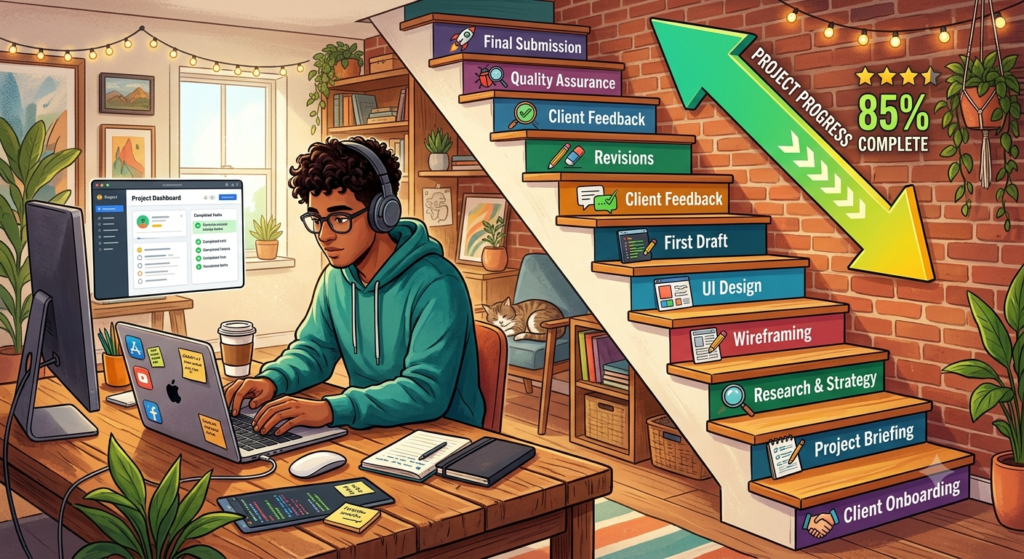
Photo generated by Gemini.ai
You’re ready this bright sunny morning to crack that big project. You’ve worked a way around attacking it and plowing your way through. But just as you build momentum, you receive a call from a client.
Such distractions shave off 10 minutes of your time. Now, to give him the documents he needs.
Clearly, you’ve lost at least 30 minutes of valuable content writing time. This calculation will explain how much time you’ve actually lost.
Research highlighted by the American Psychological Association suggests that even brief mental blocks caused by task switching can cost as much as 40% of a person’s productive time.
This is where micro-productivity can make a real difference, helping you work more efficiently without feeling overwhelmed. In this guide, you’ll discover practical strategies to break large projects into manageable tasks and build a more productive freelance workflow.
What You’ll Learn
By the end of this guide, you’ll understand:
- What micro-productivity is and why it works.
- How breaking large projects into small tasks reduces overwhelm.
- Practical techniques like time blocking, task batching, and the Pomodoro Technique.
- The best productivity tools for organizing and managing your workflow.
- Common mistakes that reduce productivity and how to avoid them.
- How to use micro-productivity to stay focused and consistently complete freelance projects.
What Is Micro-Productivity?
Micro-productivity is the strategy that helps you break down a large project into small parts that can be done independently. Each task can be done in a few minutes, making you confident and reducing overwhelm.
The proverb, “Little drops of water make a mighty ocean,” is a good example.
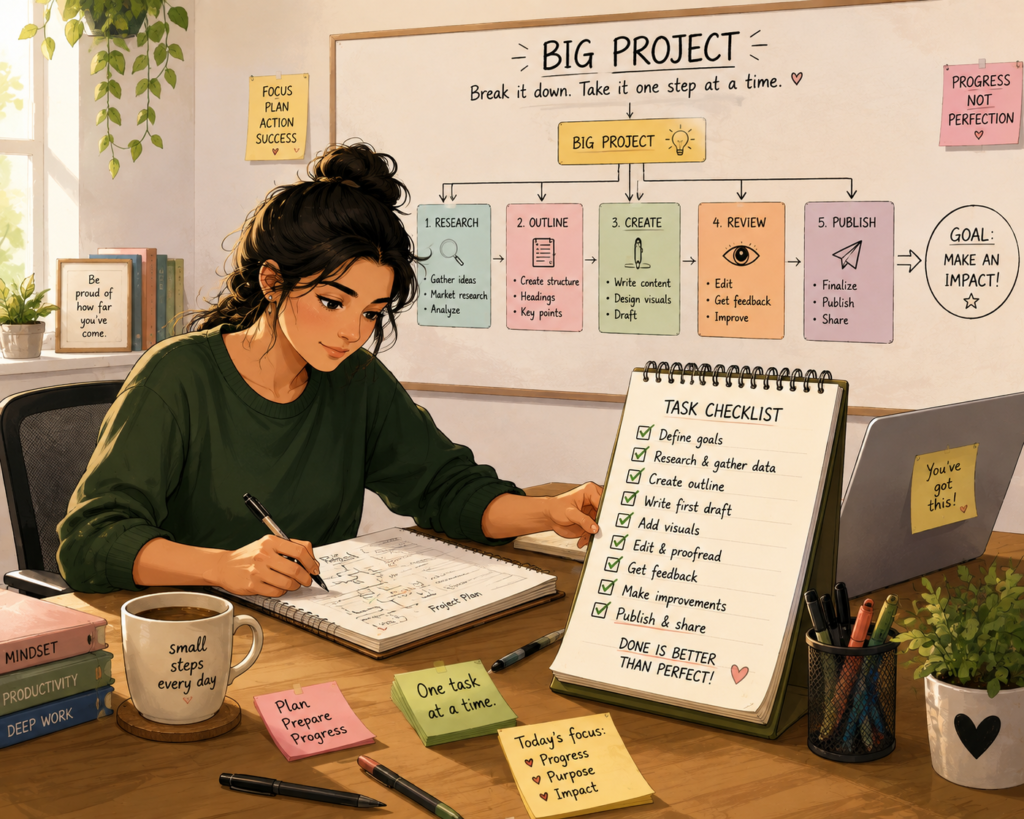
Photo generated by ChatGPT
The Psychology behind Micro-Productivity
Our minds feel satisfied whenever we accomplish small tasks. That’s because we feel stressed, overwhelmed and threatened when faced with a daunting task.
So, when you approach the problem by breaking it down into manageable tasks, the brain responds positively. Each small completed task releases a dopamine shot, setting off a feel-good reaction.
This not only creates a sense of accomplishment but motivates us to tackle the upcoming task on our list, reduces overwhelm and makes your list look less daunting. It also helps reduce the burden of handling a complex project.
Once you feel confident of handling an easy task, your focus and clarity increase. In turn, you get the twin benefits of increased creativity and better problem-solving.
When you’re no longer overwhelmed, your motivation level increases. You can inject purpose into your task and eventually make progress.
Benefits of Micro-Productivity for Freelancers
Freelancing involves juggling multiple projects, deadlines, and client expectations simultaneously. This makes it easy to feel overwhelmed when tasks are urgent and required on or before schedule.
To meet this demand, micro-productivity is the best solution. Breaking large projects into small and manageable tasks can keep you focused, keep the momentum, and meet your deadlines every time.
Here are the top seven benefits micro-productivity gives you:
#1. Reduces Overwhelm
When you receive a large project, it’s intimidating because you don’t know where to start. Work effectively by breaking down large sections of work into easy-to-handle tasks.
This enables you to concentrate on the task at hand rather than worrying about finishing the entire project on time.
#2. Makes It Easier to Get Started

Photo by Vitaly Gariev on Unsplash
The size of a project can overwhelm you so much that you put off starting it. When you break it down to small tasks, it becomes easy to start and accomplish. With the first small task done, you’re ready and likelier to continue with it, with all that momentum you’ve built up.
#3. Improves Focus
When you give all your time and attention to one task, you shut off all distractions. This allows you to determine your next steps. With focus, you’re all set to produce high-quality work.
#4. Creates Consistent Progress
Unlike traditional employees, freelancers don’t have the built-in structure of a workplace to guide their day. That’s why microproductivity can be so effective. By tackling small, high-impact tasks whenever possible, freelancers maintain momentum, reduce overwhelm, and steadily move long-term projects toward completion.
#5. Boosts Motivation
Every completed task provides a sense of accomplishment. Research suggests that completing small goals activates the brain’s reward system, encouraging you to keep moving forward. As your list of completed tasks grows, so does your confidence.
#6. Improves Time Management
Breaking projects into micro-tasks makes it easier to estimate how long each activity will take. You can plan your day more accurately, prioritize important work, and avoid spending too much time on a single task.
#7. Reduces Stress and Burnout
Instead of feeling pressured by an entire project, you deal with one manageable task at a time. This approach reduces mental fatigue, makes workloads feel more achievable, builds confidence, and helps maintain a healthier work rhythm over the long term.
Getting Started with Micro-Productivity
Getting started with micro-productivity is easier than you might think. The key is to stop thinking in terms of entire projects and start thinking in terms of individual actions. By breaking a large project into small, manageable tasks, you’ll find it easier to get started, stay focused, and make steady progress.
The first step is to map out the entire project. Instead of seeing it as one overwhelming assignment, identify each stage—from planning and research to writing, editing, and delivery. The flowchart below shows how a typical freelance writing project can be divided into manageable stages.
Figure 1. Mapping a Freelance Project into Stages
CLIENT PROJECT
│
▼
Write 2,000-word SEO Blog
│
┌───────────────┼────────────────┐
▼ ▼ ▼
Research Outline Writing
│ │ │
▼ ▼ ▼
Read brief Create H2s Write Introduction
Find sources Arrange flow Write Section 1
Find keywords Add keywords Write Section 2
Write Conclusion
│
▼
Edit → Proofread → SEO Check → Submit
Now take each stage and break it down into individual actions. Instead of writing “Complete blog post” on your to-do list, create a detailed blueprint of every step involved. The more specific each task is, the easier it becomes to start and finish it.
Figure 2. Breaking One Task into Micro-Tasks
❌ Large Task ✅ Micro-Tasks
Write blog post Read client brief
Research topic
Find keywords
Create outline
Write introduction
Draft Section 1
Draft Section 2
Write conclusion
Edit
Proofread
Optimize SEO
Submit to client
Finally, organize your micro-tasks in a project management system. Whether you use a simple checklist or a tool like Trello, Asana, Notion, or Todoist, tracking completed tasks helps you maintain momentum. Watching your list of completed tasks grow provides a visual reminder of your progress and keeps you motivated to continue.
Figure 3. Tracking Progress with a Micro-Task Checklist
| To Do | In Progress | Completed |
| Read client brief | Write introduction | Research topic |
| Write Section 1 | Find keywords | |
| Write section 2 | Create outline | |
| Conclusion |
By planning your work this way, you’re never faced with one intimidating project. Instead, you’re simply completing one small task after another—and that’s exactly how you build consistent progress.
How to Implement Micro-Productivity for Freelancers
Micro-productivity can be applied to almost every aspect of freelance work. You could be writing a client proposal, researching a topic, designing a website, or creating content. Breaking the project into smaller tasks makes it easier to stay focused and make steady progress.
For example, you can divide an email pitch into researching the prospect, writing the opening, explaining your value, and editing the final draft. A research project can be broken into finding sources, taking notes, and organizing information.
Likewise, a website design project can be tackled one element at a time, from wire framing and layouts to images and final testing.
By approaching one manageable task at a time, you’ll complete complex projects more efficiently, reduce overwhelm, and build consistent momentum.
Techniques to Implement Micro-Productivity
There are several ways of implementing micro-productivity. However, the most effective of them all are:
When you block time for a specific project, you set aside focused time periods to achieve them. During each such period, you can concentrate hard without being distracted and, thereby, achieve efficiency.

While increasing efficiency as a freelancer is the prime benefit here, you also give each task the required attention. Ultimately, this leads to a more organized and productive work day for you.
- Task-Batching:
Here, small and similar tiny tasks are grouped together. Once batched, you can handle them during specific time blocks. This prevents you from constantly switching context and allows you to work peacefully in an organized manner.
For instance, you could respond to mails, conduct research or edit content consecutively. This boosts workflow optimization, helping you work more efficiently, and get more done quickly.
The Pomodoro Technique:
The Pomodoro Technique is among the top productivity hacks for freelancers. It revolves around an individual working on a task for about 25 minutes, followed by a short interval.
Each such time period makes up one Pomodoro. Ideally, after completing four Pomodoros, you can take a longer break.
By using this technique, the brain gets used to focusing on work in short bursts. It also prevents the possibility of burnout by taking structured breaks.
This technique is simple but effective in increasing productivity in your daily work life.
Essential Tools to Boost Your Freelance Productivity
If you’re looking to optimize your workflow and increase your work efficiency, you definitely need micro-productivity tools and apps.
These apps support micro-productivity principles and help you break down your tasks into small bits. You can then control your workflow easily.
Some micro-productivity tools that can help you in your freelance career include time-tracking tools, task management apps, and productivity timers.
- Task Management Apps:
Task management apps are essential tools that help you stay productive and organized. You may be juggling personal to-do lists or collaborating with senior freelancers on complex projects.
That’s when task management apps for freelancers such as To-doist, Asana, ClickUp, or Trello provide you with sufficient digital space to set up, organize, give precedence to and track your micro-tasks.
With the help of their features such as reminders, due dates and other collaborative features, you can streamline your micro-productivity process.
- Time-Tracking Tools:
Some popular time-tracking tools include Clockify, Toggl Track, Timely and Harvest. They allow freelancers to monitor the time they spend on each micro-task.
This brings in a sense of accountability and offers understanding into productivity patterns.
When work is broken down into timed intervals, you can rate your efficiency and make informed changes to their workflow.
- Productivity Timers:
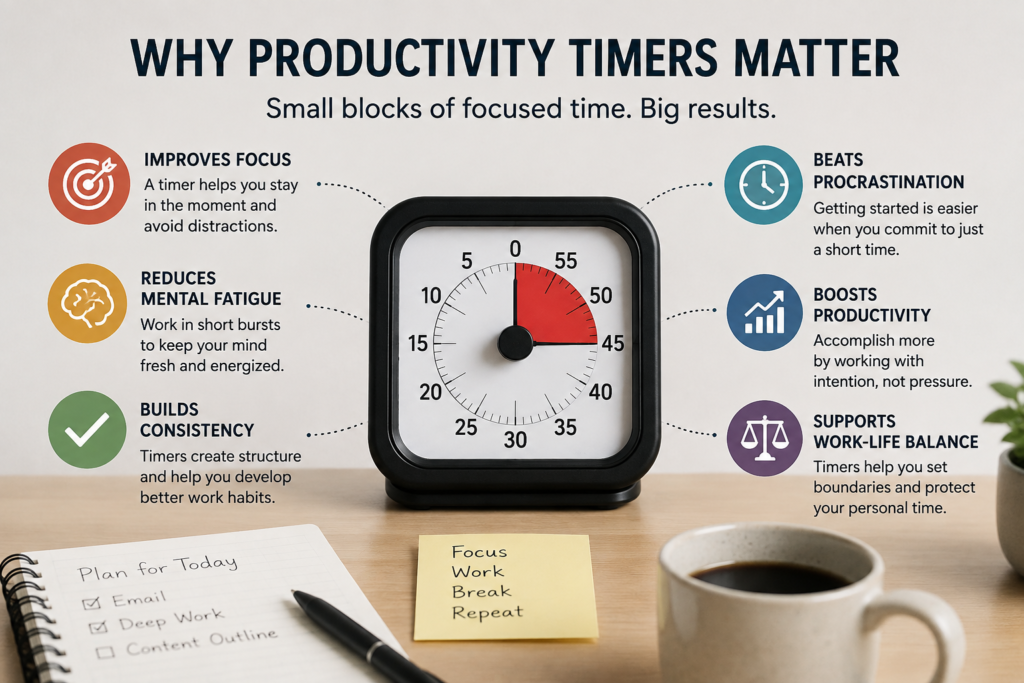
Perhaps the best-known of all productivity timers is the Pomodoro Technique, though others like Focus@Will and Be Focused are also competent. All these apps offer structured a period of focused work, followed by a short break. By integrating these timers into your daily routine, you create a rhythmic and viable approach to micro-productivity.
To get the most out of these tools, it’s best that you integrate them seamlessly into your daily workflow.
This means you set clear goals, create routines, and try out different apps until you find the right combination that suits your work style.
Ultimately, you will find that all micro-productivity tools and apps are your trusted friends whom you can rely on to have a more enriching, focused, and organized freelancing experience.
AI Productivity Tools
AI-powered productivity tools can make micro-productivity even more effective by reducing the time spent on repetitive or time-consuming tasks. Instead of starting every project from scratch, freelancers can use AI to generate ideas, create outlines, summarize research, improve grammar, and automate routine tasks.
For example, tools like ChatGPT and Claude can help brainstorm content ideas, draft outlines, and overcome writer’s block. Notion AI can summarize meeting notes and organize project plans, while Grammarly improves clarity and catches writing errors.
AI scheduling assistants and automation platforms can also handle appointments, reminders, and repetitive workflows, giving freelancers more time to focus on high-value work.
The key is to use AI as a productivity assistant—not a replacement for your expertise. Let AI handle routine tasks while you concentrate on strategy, creativity, and delivering value to your clients.
Here’s a brief list of all that AI productivity tools can do primarily:
| Task | AI Can Help With |
| Planning | Brainstorm ideas, create outlines |
| Research | Summarize articles, extract key points |
| Writing | Draft content, rewrite text, improve grammar |
| Organization | Prioritize tasks, summarize notes |
| Scheduling | Set reminders, schedule meetings, automate workflows |
Overcoming Common Challenges in Micro-Productivity
The challenges of micro-productivity include addressing commonly experienced hurdles. For instance, it could mean underestimating the amount of time you need to complete a small task.
Or burnout caused by task-switching every so often. Lastly, staying disciplined even during interruptions could be a huge challenge.
Overcoming these challenges includes implementing strategies to avoid distractions and stay focused.
So, how do you tackle these challenges?
- If time-setting is an issue, set a realistic time estimate for every small task.
- To counter unexpected delays at work, it works if you incorporate some buffer time.
- Fix a certain period to assess and tweak your micro-productivity methods so that you always remain on top of every situation.
- Implement productivity apps that work to keep you focused, silence notifications, and block distracting websites.
- Lay down clear expectations with family and colleagues about your work schedules.
- Schedule time for communication and adhere to it.
- Set aside dedicated periods for focused work and don’t deviate from them.
Common Mistakes to Avoid
Micro-productivity is a powerful way to manage your workload, but only when it’s used effectively. Watch out for these common mistakes that can reduce your focus, slow your progress, and limit your results.
1. Breaking Tasks Down Too Much
The goal of micro-productivity is to make work manageable, not to create hundreds of tiny tasks. If your to-do list becomes more complicated than the project itself, you’ve gone too far. Focus on actions that take around 10–30 minutes and move the project forward.
2. Confusing Busy Work with Meaningful Progress
Checking emails, renaming files, or reorganizing folders may feel productive, but they don’t always contribute to client work. Prioritize micro-tasks that move your project closer to completion instead of filling your day with low-value activities.
3. Constantly Switching Between Projects
Freelancers often juggle multiple clients, but jumping between projects every few minutes destroys focus. Complete several related micro-tasks before switching to another project to reduce context switching and maintain momentum.
4. Losing Sight of the Bigger Picture
Generated by ChatGPT
Photo generated by Gemini.ai
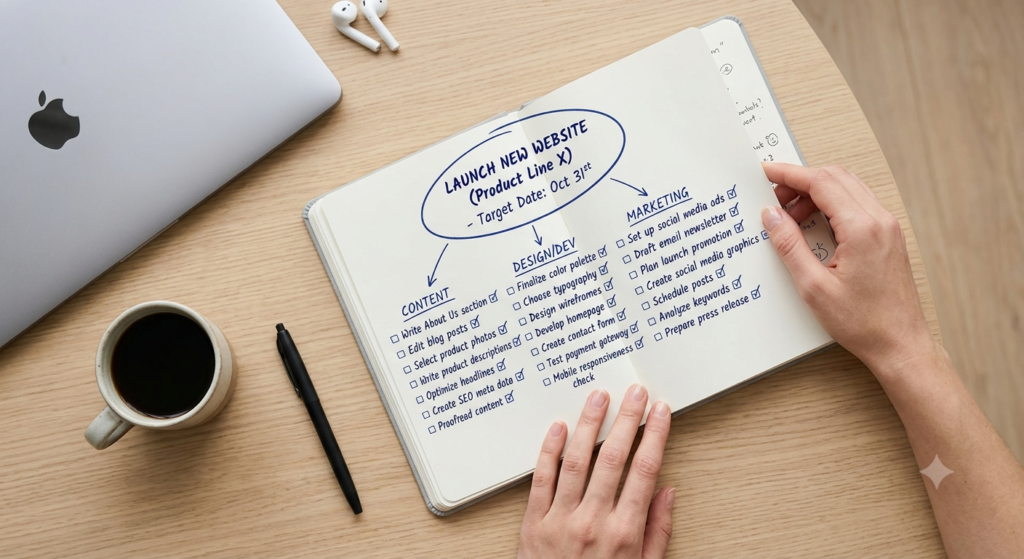
While micro-productivity focuses on small wins, don’t lose sight of the final goal. Review your project regularly to ensure every micro-task supports the desired outcome.
5. Skipping Planning
Micro-productivity works best when tasks are planned. Starting the day without a clear list of micro-tasks wastes valuable time deciding what to do next.
6. Ignoring Deadlines and Priorities
Not every task deserves equal attention. Break projects into micro-tasks, but always prioritize work based on client deadlines, business impact, and urgency.
7. Forgetting to Celebrate Small Wins
One of the biggest benefits of micro-productivity is the motivation that comes from completing tasks. Take a moment to acknowledge your progress. Those small wins build confidence and help you stay motivated through longer projects.
Micro-productivity isn’t about doing more tasks—it’s about completing the right tasks consistently until meaningful work gets done.
How Micro-Productivity Can Support Creative Freelancers
If you’re a creative freelancer, you can integrate micro-productivity into your workflow to manage complex projects. For example, if you’re a graphic designer working on a complex visual project, you could break down your entire project into micro-tasks instead of viewing the project as a whole.
For example, you could focus on color schemes, then work on layouts and, lastly, typography. Not only does this give your project the required structure, but you work efficiently and smoothly until you finish.
Implementing this approach can help you maintain the required flexibility to push creative boundaries. You also benefit from maintaining focus and efficiency when acting on small tasks.
Your creative mind can also steer through the nuances of your work meaningfully, ensuring that each step you take contributes to a larger artistic vision.
All in all, micro-productivity works as a catalyst to unlock your full creative potential within a set framework of an organized and strategic workflow for anyone working in a creative field.
Frequently Asked Questions
Can micro-productivity make me more productive, or will it just create more tasks?
No. Micro-productivity isn’t about creating more work—it’s about breaking large projects into smaller, actionable tasks that are easier to start, complete, and track.
How small should a micro-task be?
A good micro-task should take 10 to 30 minutes to complete and represent a meaningful step toward finishing your project. If it feels overwhelming, break it down further.
Can I use micro-productivity while managing multiple clients?

Yes. In fact, it’s especially useful for freelancers juggling multiple clients. Breaking each project into micro-tasks helps you prioritize work, switch between projects more efficiently, and avoid feeling overwhelmed.
Which productivity tools work best with micro-productivity?
Task management tools like Trello, Asana, Notion, Todoist, and ClickUp make it easy to organize, prioritize, and track micro-tasks. AI assistants can also help with planning, research, and repetitive work.
Is micro-productivity a replacement for deep work?
No. The two approaches complement each other. Micro-productivity helps you organize and begin complex projects, while deep work allows you to focus on completing high-value tasks without distractions.
Takeaway
Micro-productivity isn’t just another term coined for dealing with tiny tasks. Rather, for freelancers, it’s a complete game-changer. By reducing huge tasks into bite-sized, doable tasks, you’re no longer overwhelmed by the hugeness of the overall task.
Also, you can stay focused until the end of the project.
Don’t wait for motivation—create it. Complete one small task today, then build on that momentum tomorrow.